
Windows Desktop Development: Introduction to WinUI 3

· 5 min read
Author: XiaoyeApp

Introduction​

As a Windows desktop developer, have you ever been confused about how many UI frameworks Microsoft actually has? Win32, MFC, WinForms, WPF, UWP, WinUI… these terms can be overwhelming. Today, we'll sort through the evolution of Windows UI frameworks and focus on Microsoft's current flagship—WinUI 3—to help you take your first step into modern Windows desktop development.
Elegantly Adjust Your Remote Desktop Display: From Fixed Resolution to Auto-Adaptation

· 4 min read
Author: XiaoyeApp

If you've ever used remote desktop software, you've likely encountered this scenario: you try to enlarge the window, and the image becomes blurry; or you want to fill the screen, but you have to set the resolution in advance, and once connected, it can't be changed. This isn't a flaw in any particular software—it's the result of the three long-standing display modes in Windows Remote Desktop, each with its own design logic.

Windows Remote Desktop: Create Your Own Shortcuts

· 4 min read
Author: XiaoyeApp

In daily work, Remote Desktop (mstsc) is a common tool for connecting to servers or office computers. Having to enter the IP address, username, and password every time can be a bit tedious. Today, I'll share a few tips to help you turn Remote Desktop into a one-click connection shortcut.

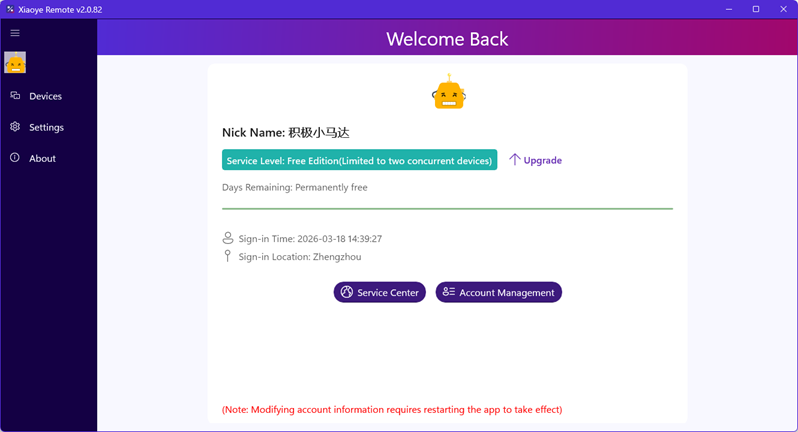
Xiaoye Remote 2.0.82 Released: Two Devices Permanently Free

· 3 min read
Author: XiaoyeApp

Category: News Published: 3/18/2026

Tired of complicated network configurations for remote work? Or have you been trying out various solutions in search of a remote control tool that is both safe and free? Today, the new version of Xiaoye Remote Control might just be the answer you're looking for.

We are excited to announce the official release of Xiaoye Remote Control version 2.0.82! This update introduces an incredibly user-friendly policy: Two devices, permanently free. Whether you're providing technical support for a family computer or need seamless switching between two office locations, this free tier covers the daily needs of most individual users.

Local Account vs. Microsoft Account: A Complete Guide to Windows Remote Desktop Login

· 5 min read
Author: XiaoyeApp

Introduction​

Windows Remote Desktop (Remote Desktop Protocol, RDP) is a powerful feature provided by Microsoft, allowing users to remotely control another Windows computer from one device. When connecting to Remote Desktop, users can log in using either a local account or a Microsoft account, each with its own characteristics and applicable scenarios. This article will detail the differences between these two account types, configuration methods, and login steps to help you choose the most suitable solution.