5 posts tagged with "Network"

Articles about networking technologies

View All Tags

DNS Interception and Custom IP Redirection Using WFP

· 9 min read
Author: XiaoyeApp

When developing Windows networking solutions, there are times when you need to intercept DNS queries for a specific domain and return a custom IP address to achieve traffic steering, local debugging, or access control.

This article uses the interception of DNS A-record queries for www.abc.com as an example to walk through how to intercept DNS requests at the transport layer via WFP (Windows Filtering Platform) and return a specified IP address (e.g., 192.168.1.100). The focus is on the configuration flow and key decision points, supplemented by essential code snippets.
WFP: The Universal Power Strip for Windows Network Filtering

· 6 min read
Author: XiaoyeApp

If you're doing Windows network development—especially firewalls, VPNs, network monitoring, or similar tools—WFP (Windows Filtering Platform) is unavoidable. However, terms like drivers, kernel, and Callouts can be intimidating.

This article won't dive into complex API details. Instead, it aims to explain, in the simplest terms possible, what WFP is, what it can do, and how it works internally.

What Exactly is WFP?​

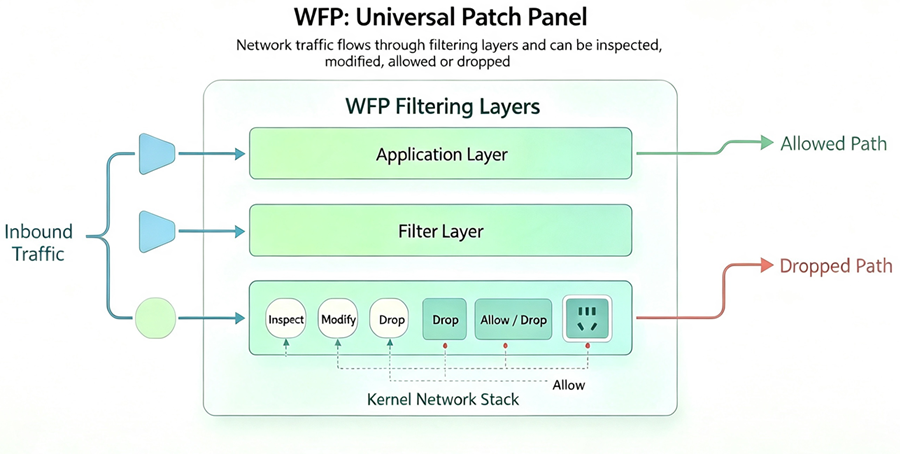
In one sentence: WFP is a "universal power strip" embedded in the Windows kernel network stack.

It provides "sockets" (filtering layers) at all key points where network data passes through. You can plug your own processing logic ("plugs") into these sockets to intercept, inspect, modify, and allow/block network traffic.

The built-in Windows Firewall itself is Microsoft's own "plug" inserted into these sockets. Antivirus software, parental controls, and traffic monitoring tools all leverage this same infrastructure.

Two Directly Connected PCs Can Communicate Across Subnets

· 4 min read
Author: XiaoyeApp

Hey network engineers, sysadmins, and anyone driven crazy by VLANs – hold up!

Today we're talking about a trick that goes against common sense. You've probably always thought: if you connect two PCs directly with a cable, they have to be on the same subnet to talk to each other (like 192.168.1.x and 192.168.1.y).

Yeah, that's the "politically correct" way. But sometimes life throws you curveballs:

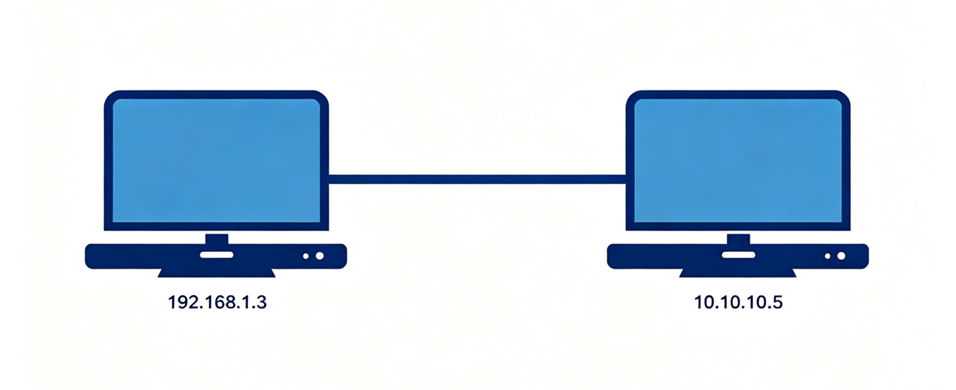
  • Maybe one PC has a static IP (10.10.10.5) and the other is DHCP (192.168.1.3), and you just don't want to keep changing them back and forth.
  • Maybe you're just testing Layer 3 forwarding and don't want to set up a complicated router.
  • Or maybe you just want to prove the old-timers wrong who insist "they must be on the same subnet!"

Today, I'm going to show you how to break that rule. Two directly connected PCs with IPs on different subnets? Still pingable! And you don't need an extra router – just the built-in "soft router" feature in Windows.

Basic Usage of WireGuard on Windows

· 4 min read
Author: XiaoyeApp

WireGuard is known for its simplicity, efficiency, and security, and the official Windows client continues this tradition. Unlike the command-line operations on Linux, the Windows version focuses more on graphical management and tunnel switching. The configuration logic mainly revolves around generating key pairs and editing .conf files.

0.wireguard

gRPC in .NET: From Zero to Working Example

· 6 min read
Author: XiaoyeApp

In today's era of microservices and cloud-native architectures, communication efficiency between services has become a key bottleneck for system performance. Are you still troubled by the inefficient serialization of REST APIs? Are you looking for a communication solution that is both cross-language and high-performance? Today, let's get to know gRPC and how the .NET ecosystem perfectly supports this modern RPC framework.

If you are already familiar with the concepts of gRPC, you can skip directly to Chapter 3; if you are already proficient with gRPC, you can skip this article entirely ^_^